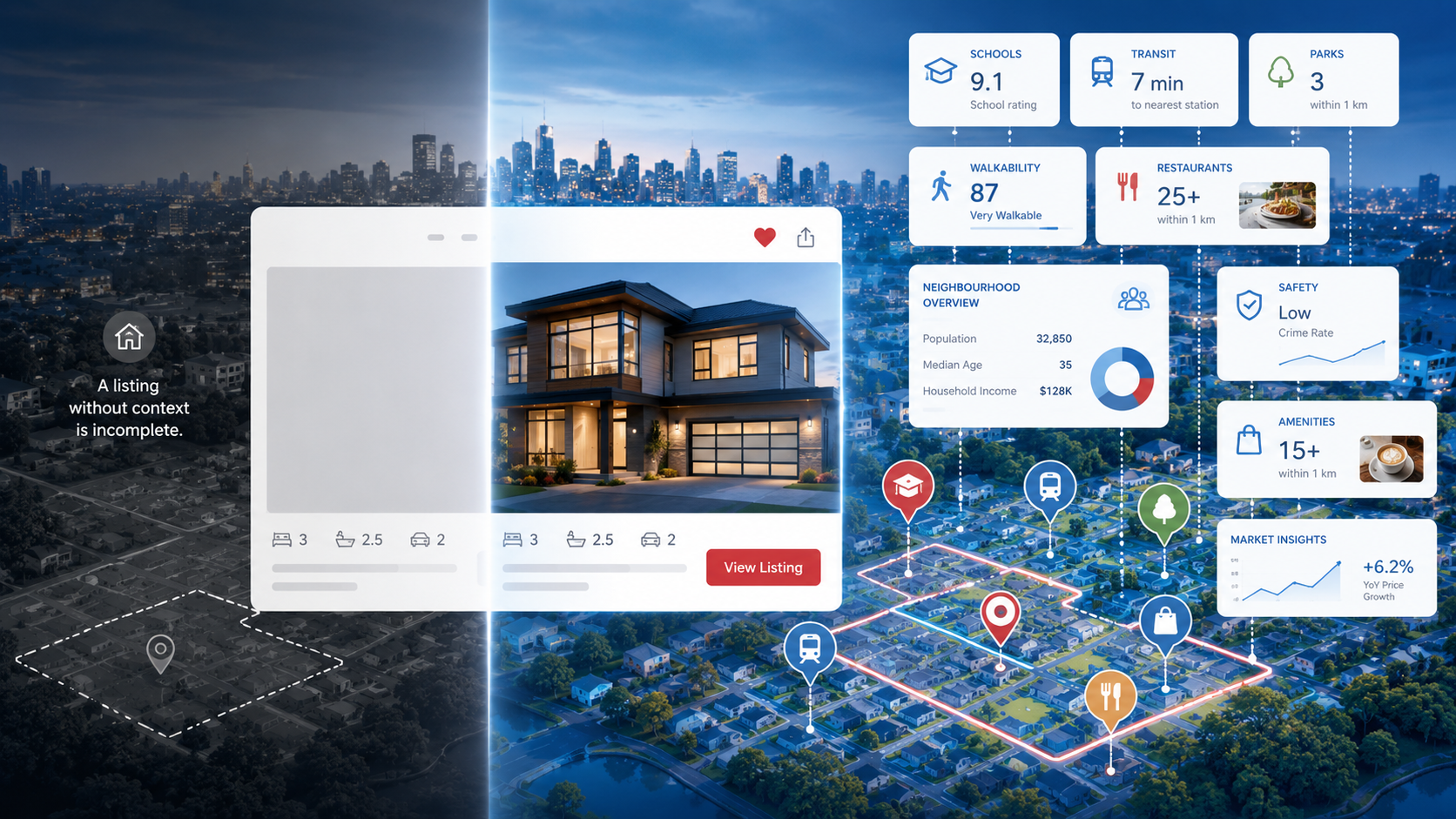
If you ask a real estate agent what neighbourhood a property is in, they'll give you a name. The Beaches. Kerrisdale. Le Plateau. They may even tell you a story about the neighbourhood — what it feels like, who lives there, what's changing. That qualitative intelligence is a core part of how agents communicate value to buyers.
Neighbourhood data, in the API sense, is the attempt to make that intelligence machine-readable, queryable, and consistent at scale. It's not a replacement for an agent's judgement. It's the structured data layer that makes that judgement possible at the speed of a search query rather than the pace of a human conversation.
What Neighbourhood Data Actually Contains
When Neighbourly returns a neighbourhood data response for a Canadian address, it includes several distinct components that are often conflated under the vague term "neighbourhood info":
1. The boundary
A GeoJSON polygon representing the officially or conventionally recognized extent of the neighbourhood — not just a centroid point. This is what allows you to render the neighbourhood on a map, calculate what's inside it, and answer questions like "show me all listings in this neighbourhood." Without a polygon boundary, you have a label, not data.
2. The name (and alternate names)
Neighbourhoods in Canada have formal names, informal names, historical names, and names that vary by who you ask. The Annex and The Neighbourhood of the Annex. Roncesvalles and Roncy. Neighbourly stores primary and alternate names, along with French equivalents in bilingual markets.
3. Walkability and transit access indices
A composite score derived from the density and proximity of walkable destinations — grocery stores, coffee shops, transit stops, restaurants, and services — within 5, 10, and 15-minute walking distances from a given point. These aren't just the Walk Score methodology lifted from the US; they're calibrated to Canadian address density and street network topology.
4. Points of interest summary
Not a list of every coffee shop within 5km — that would be noise. A structured summary of what categories of place exist within relevant distance thresholds: how many grocery options within walking distance, how many transit nodes within 500 metres, how many green spaces or parks within 1km. Buyers care about categories and counts, not individual business names.
5. Character signals
Derived indicators about the nature of the neighbourhood — predominantly residential vs. mixed use, detached-heavy vs. condo-dominated, high commercial density or low — that can be used to describe the neighbourhood in structured terms your UI can render without writing bespoke copy for every postal code.
How Buyers Use Neighbourhood Information
Multiple studies of home search behaviour in North America show that buyers spend more time on neighbourhood information than on any individual property attribute except price. They look at walkability. They look at what's nearby. They research schools. They try to understand who lives in an area and what the community feels like.
When that information is surfaced directly on a listing page — rather than requiring a buyer to open three browser tabs and triangulate from Google Maps, Wikipedia, and someone's blog post — it increases time-on-page, reduces bounce, and increases the probability that a buyer takes the next step in the funnel.
More specifically, neighbourhood data helps buyers who are considering relocating to a new city. These buyers cannot rely on local knowledge. They cannot ask friends. They are entirely dependent on what the listing page tells them, supplemented by whatever they can piece together from internet searches. A listing page that answers their neighbourhood questions is doing their job for them — and building trust in the platform in the process.
The Difference Between a Neighbourhood Label and Neighbourhood Data
Many real estate platforms already show neighbourhood names on their listing pages. That's a neighbourhood label. It's not neighbourhood data.
The difference is whether the neighbourhood information is structured, queryable, and attached to the property in a machine-readable form. A label is text in a field. Data is a set of properties that can drive UI logic, search filtering, map rendering, and automated content generation.
Consider what becomes possible when you have neighbourhood data versus a neighbourhood label:
- Filtering: "Show me listings in walkable neighbourhoods" requires a walkability score, not just a name.
- Comparison: "How does this neighbourhood compare to that one?" requires structured data across both, not just names.
- Map visualisation: Rendering a shaded neighbourhood boundary on a map requires a polygon, not a name.
- Automated summaries: "A vibrant, walkable neighbourhood with strong transit access" can be generated from structured scores. A name alone generates nothing.
- Search: "I want to live somewhere with high walkability and a lot of restaurants nearby" requires structured place data, not a neighbourhood string field.
What Neighbourhood Data Looks Like in an API Response
In Neighbourly's Neighbourhood Data API, a query for a Canadian address returns a structured object including the canonical neighbourhood name, the GeoJSON boundary polygon, a walkability index (0–100), a transit access index (0–100), a POI density summary broken down by category, and a set of character indicators derived from the building stock and business mix.
The same endpoint returns links to related resources — the demographics profile for the neighbourhood's census dissemination area, and a list of nearby POIs for further detail. This means a single API call gives you enough to render a fully enriched neighbourhood section on a listing page without any additional queries.
Why Neighbourhood Data Is an Infrastructure Problem, Not a Feature
One mistake product teams make is treating neighbourhood data as a feature to be built rather than infrastructure to be integrated. The distinction matters because it changes how you prioritize it.
A feature is something that adds value to one user flow. Infrastructure is something that makes multiple features possible. Once you have neighbourhood boundary data in your system, you can build neighbourhood-based search filters, map visualizations, comparison tools, and automated content generation on top of it. The marginal cost of each subsequent feature is low because the underlying data is already there.
The same logic applies to walkability indices, POI density data, and demographic profiles. These aren't standalone features — they're the data layer that makes a generation of search features possible. Building that layer once, properly, is worth the upfront investment.